
INVENTORY MANAGEMENT · FEATURES
Core inventory work, connected from master data to reports.
Organize the items and business partners your team works with, record goods coming in and products going out, then review the documents and stock position that need attention.
INVENTORY CAPABILITIES
Keep the records and documents your operation depends on.
VanaApps Inventory Management brings together the following product areas.
Item groups & item master
Organize your catalogue into item groups and maintain a consistent master record for the products and materials your team buys, stores and sells.
Vendor & customer masters
Keep vendor and customer details in structured master records for reference across purchase and sales work.
Inward · Purchase Order
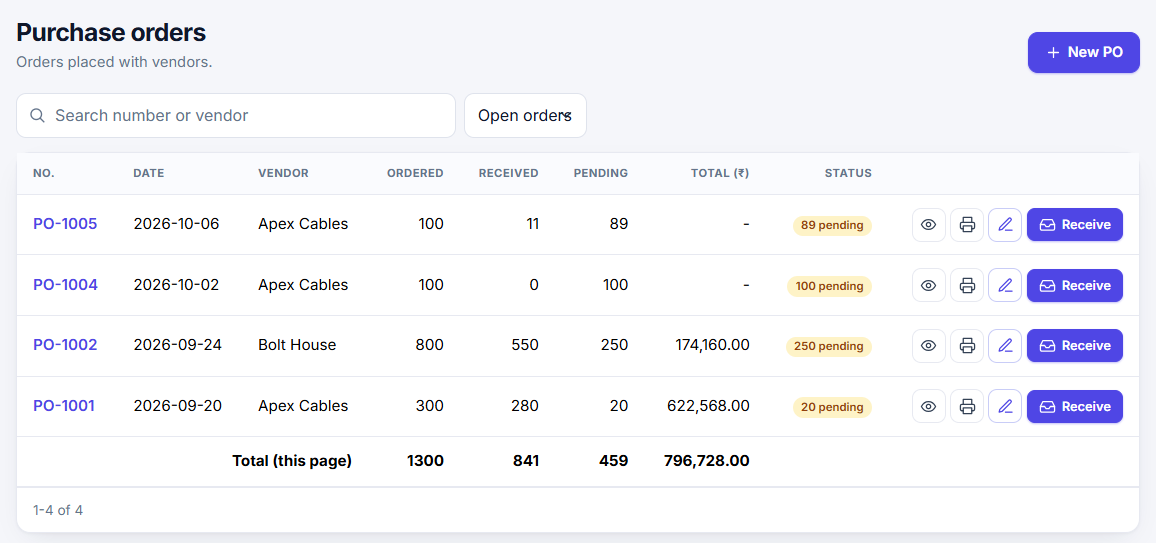
Record purchase orders and review orders awaiting receipt, giving purchasing teams a clear view of what is expected from vendors.
Inward · GRPO
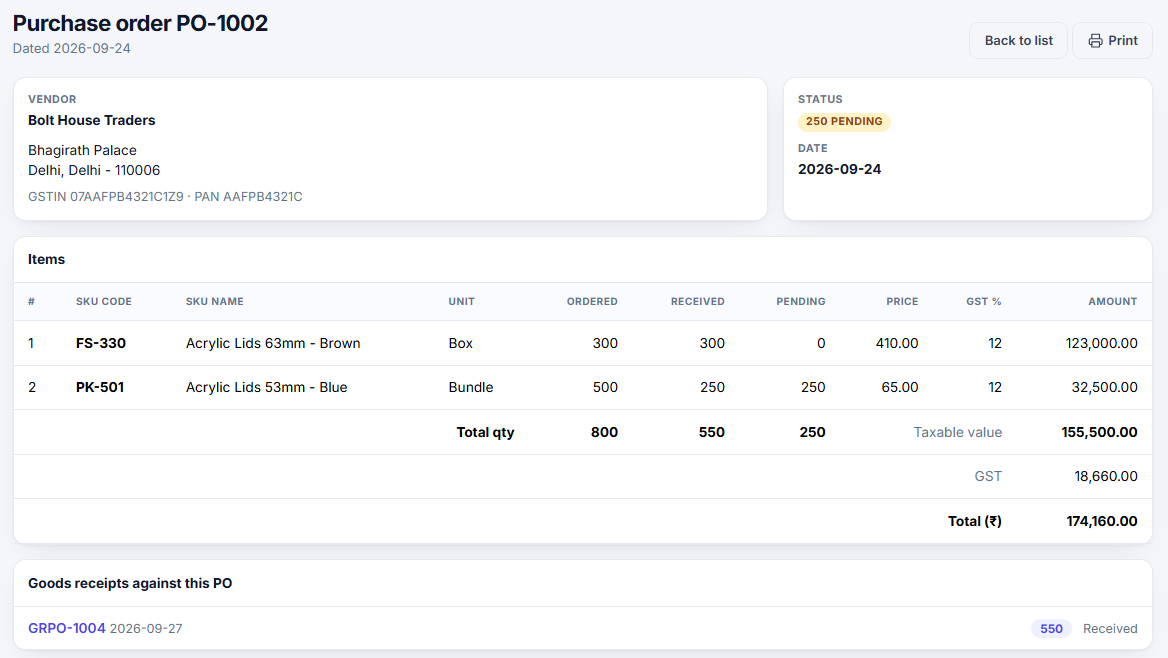
Record Goods Receipt against Purchase Order (GRPO) to connect received goods with the order they fulfil.
Outward · Sales Order
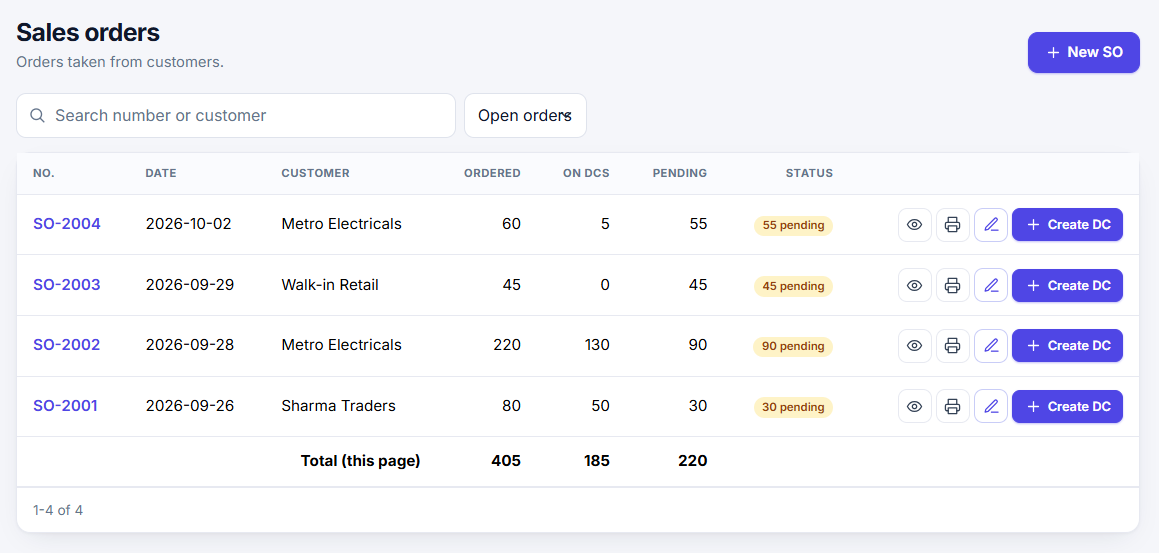
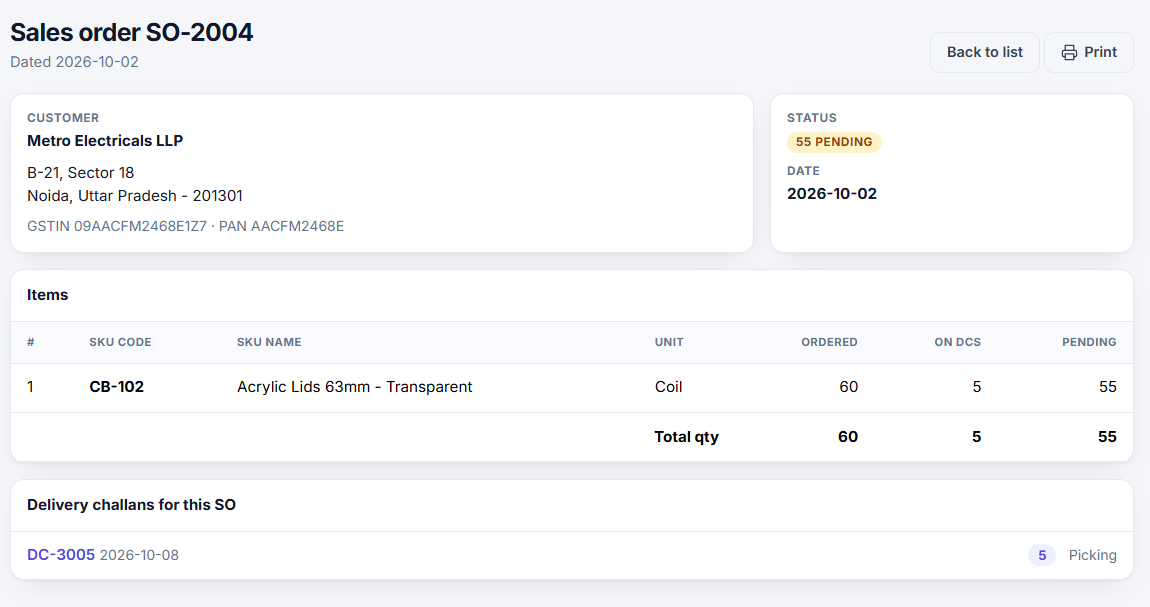
Record customer sales orders and review which orders are still pending as the team plans fulfilment.
Outward · Delivery Challan
Document goods delivered against sales work with a Delivery Challan, keeping outward movement tied to the customer order.
Operational reports
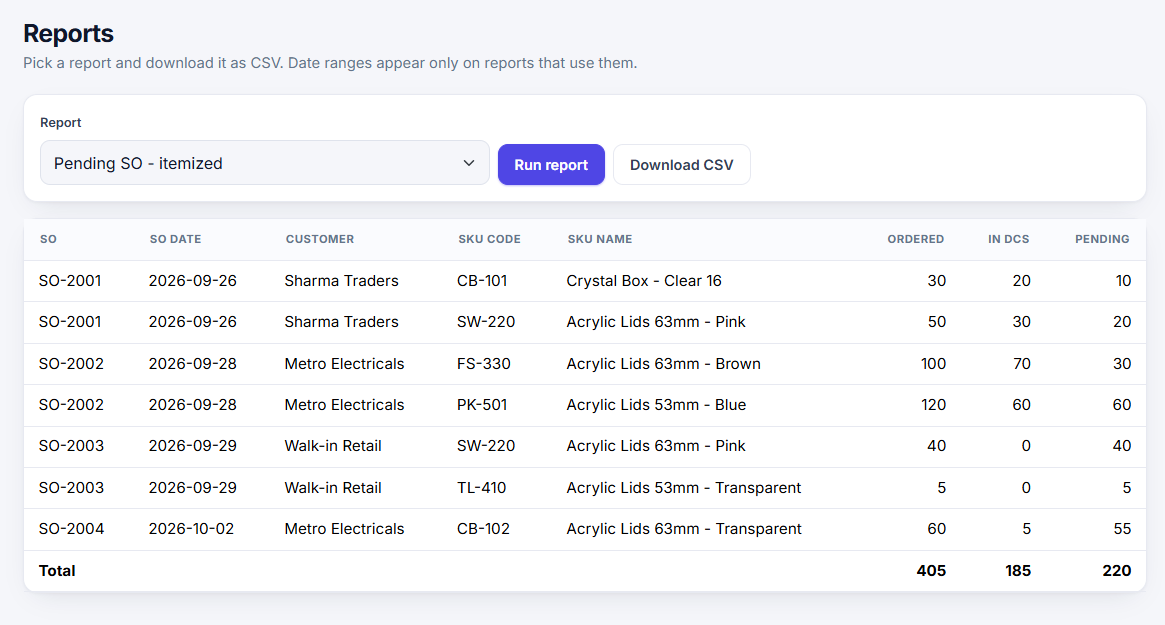
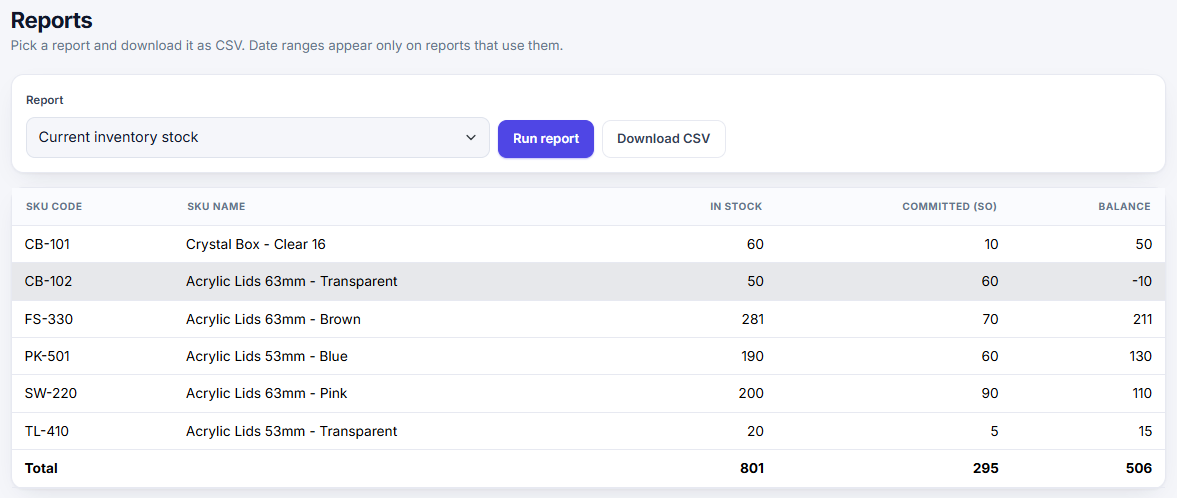
Review Pending PO, Pending SO and Current Inventory Stock reports to see open documents and the current stock position.
Last purchase price
Review items with their last purchase price alongside item and stock information for a useful purchasing reference.
PRODUCT SCREENS
See the documents and reports your team works with.
Explore the sales, purchasing and reporting views used to follow orders, receipts and stock position.
INWARD, ON-HAND, OUTWARD
See the documents around your stock position.
Use purchase and sales records with stock reports to understand what has been ordered, what has been received and what still needs to be delivered.
WHAT IS EXPECTED IN?
Pending Purchase Orders identify vendor orders still awaiting receipt.
WHAT HAS BEEN RECEIVED?
GRPO records goods received against their Purchase Orders.
WHAT IS COMMITTED OUT?
Pending Sales Orders show customer orders not yet completed for delivery.
WHAT IS ON HAND?
Current Inventory Stock and item purchase price reports support review.
EXPLORE THE INVENTORY WORKFLOW