Know what you have
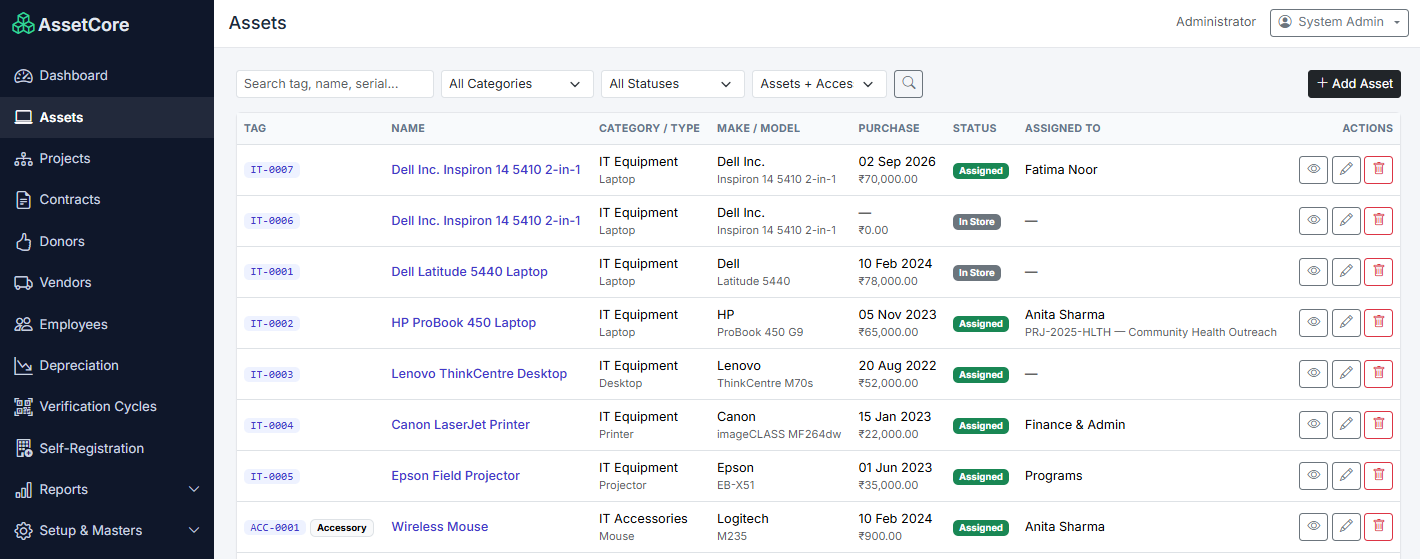
Capture key asset details such as make, model, serial number, vendor, purchase date, warranty and location.

Bring your asset register, assignments, maintenance and lifecycle into one useful view. Give your team a reliable answer when it matters: where is it, who has it and what needs attention?
Equipment moves. People change roles. Warranties expire. When the record doesn’t keep pace with the real world, teams spend time reconciling spreadsheets and chasing updates.
VanaApps Asset Management helps keep the details and the asset’s history together, so people can spend less time piecing together the story.
Equipment moves between people, teams and locations. When the register falls behind, nobody has the full picture.
Review who an asset is assigned to, where it belongs and how it has moved over time, alongside its identifying details.
When these details sit apart from the asset register, checks get missed and planning becomes reactive.
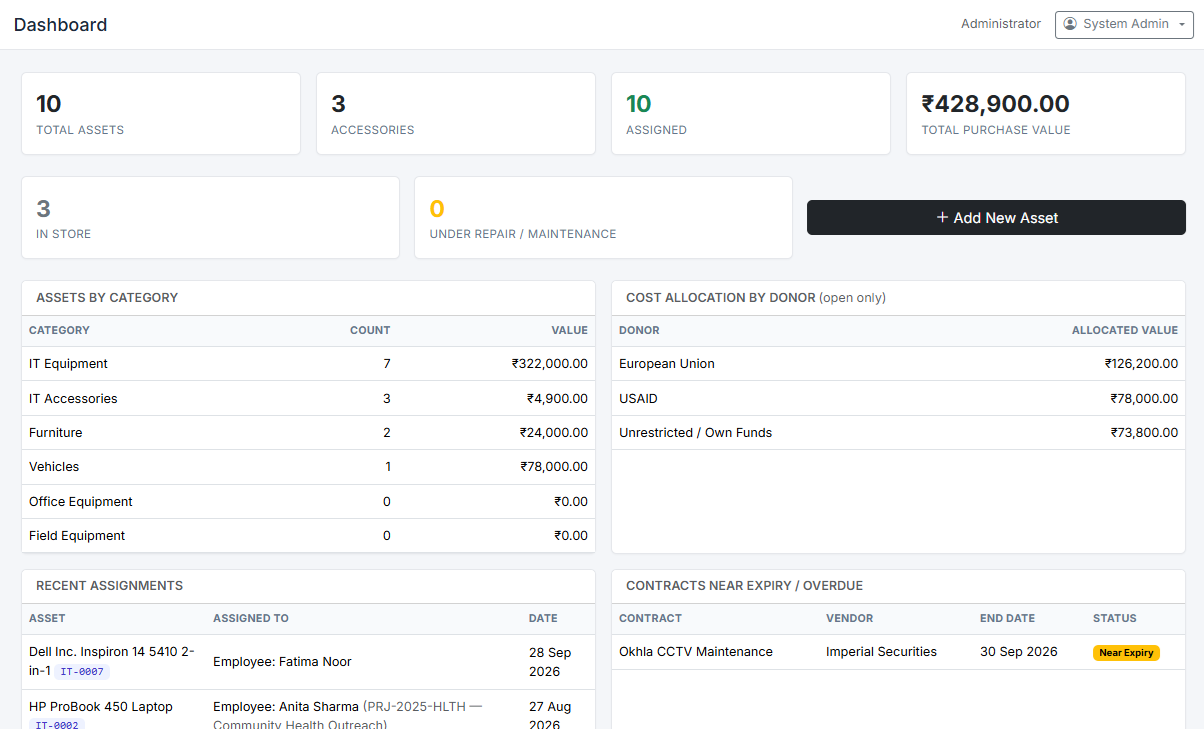
Keep maintenance, verification, warranty, contract and financial context connected so the team can see what needs attention.
Capture key asset details such as make, model, serial number, vendor, purchase date, warranty and location.
Follow assignments, returns, transfers and ownership history across employees, projects and departments.
Keep purchase value, depreciation, cost allocation and related financial details connected to the record.
Bring maintenance, verification, attachments and disposition into the asset lifecycle.
Use the supplied Windows registration flow to collect device details for supported assets.
Use views for verification, depreciation, ageing and contract expiry to help plan next actions.
Search your assets, review status, see responsibility and open the details in context. Move from a list to the full lifecycle without rebuilding information from spreadsheets.