Register & identify
Record make, model, serial number, tag, category, type, location, vendor, purchase date, warranty and supporting documents.

Build a useful record around each asset: what it is, where it is, who has it, what has changed and what needs attention next.
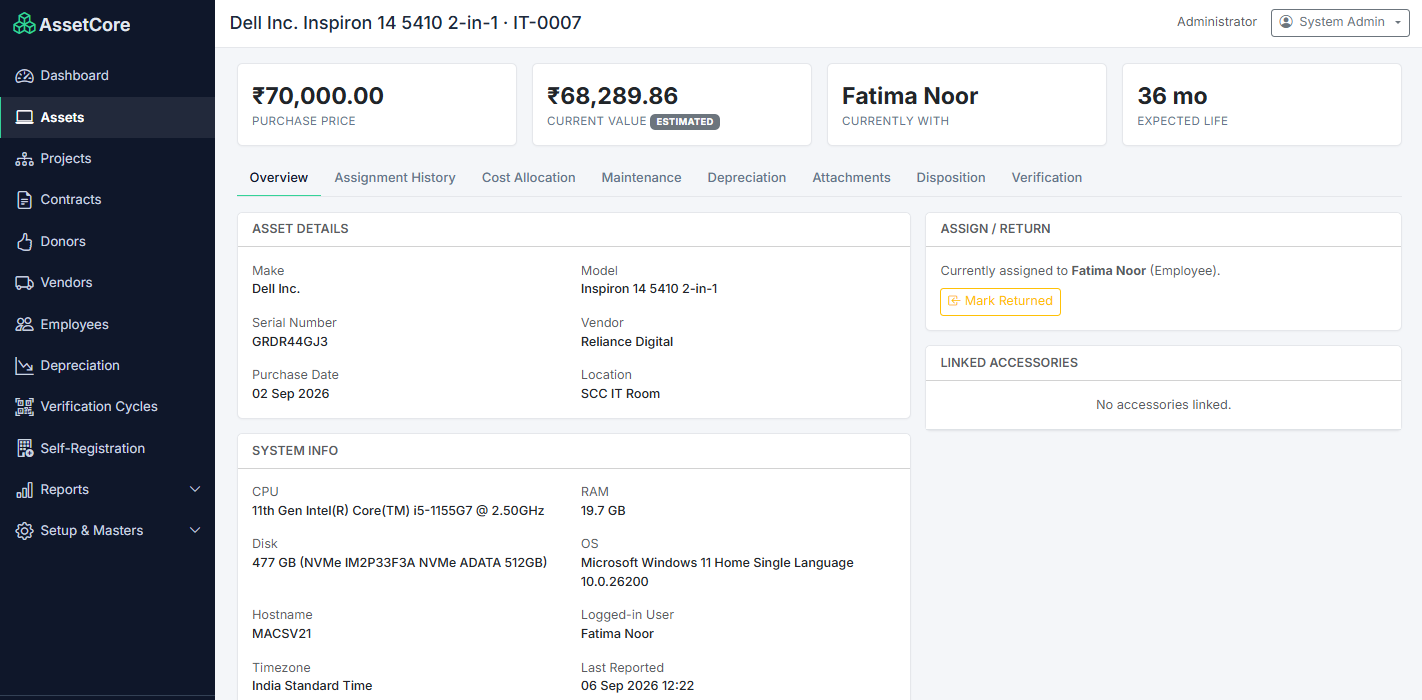
Each capability helps keep the operational and financial context close to the asset, so teams can look up the information they need in one place.
Record make, model, serial number, tag, category, type, location, vendor, purchase date, warranty and supporting documents.
Follow assignment, return, transfer and ownership history across employees, projects, teams and departments.
Keep maintenance and verification records with the asset, supporting planned checks and a traceable service history.
Connect purchase value, depreciation, cost allocation, current value, ageing and disposition information.
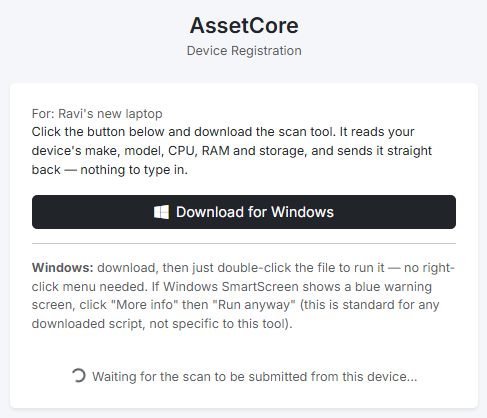
Use the supplied Windows self-registration flow to collect supported device information and reduce repetitive entry.
Use register, ageing, allocation, verification, depreciation and contract-expiry views to identify follow-up work.
For supported Windows devices, the registration flow can collect technical details and associate them with the asset record—helping reduce manual re-entry.